
The first decision is your account and device workflow.
Tealstreet may suit a trader who needs its advertised exchange breadth or wants its documented optional API-key cloud sync across devices. Schizo is worth evaluating if you want its current combination of named account contexts, an encrypted device vault, account-level Risk and a built-in derivatives Journal. Confirm the required connection and history scope first.
Both products organize an exchange account’s tools into a terminal. This comparison does not establish that switching software improves fills or trading results.
Competitor descriptions below come from the linked official pages checked on 27 October 2026. Schizo examples use our own released interface and documented scope. We did not place competitor orders or benchmark their execution speed, reliability or security implementation.
Compare exact products rather than logo counts.
Tealstreet’s website advertises more than 25 exchanges, configurable layouts and execution from charts, order books, DOM and news. Those are provider descriptions, not independent measurements made here. Its API connection guide links venue-specific setup instructions.
| Question | Tealstreet: official description | Schizo: current documented workflow |
|---|---|---|
| Accounts and layout | Named API selection, multiple active connections and resizable modules. | Named connections, split charts and an explicitly selected trading context. |
| Bybit product selection | Consult its Bybit-specific setup for the exact account and product. | One combined derivatives connection with optional fully funded Spot; inverse requires the stated UTA 2.0 support. |
| Advanced orders | Advertises tools including quick orders and chasers; inspect the selected venue’s rules. | Derivative tools depend on the adapter; combined Bybit Spot currently exposes Limit and Market without borrowing. |
| Trade review | The website describes P&L tools; detailed Journal history coverage was not evaluated here. | A built-in derivatives Journal with provider-specific import limits and fee/funding treatment. Spot trades are excluded. |
Schizo also has Binance USDⓈ-M and Hyperliquid setup workflows. Public-feed testing does not establish every funded action, region or account mode. The coverage page is the reference for Schizo rather than a claim of universal parity.
Optional cloud sync is a concrete difference.
Tealstreet’s cloud-sync documentation says API-key accounts are encrypted on the device before synchronization, unlocked with a separate password and made available to other signed-in devices. It distinguishes API-key sync from layout profiles.
Schizo’s current workspace uses an encrypted device vault and explicit encrypted backups. A sign-in on another browser does not automatically copy the exchange credentials or layout. If automatic cross-device API-list availability is essential, Tealstreet’s documented option is a reason to evaluate it. If you prefer to transfer a Schizo setup deliberately, review its backup and recovery workflow.
These are different operating models, not a security ranking. Schizo signs on the device, while signed requests, API-key identifiers and responses pass through its relay in memory. Read Schizo’s full data-handling explanation instead of inferring that a relay carries no account information.
Run a small, repeatable workspace pilot.
- Write down one required exchange, environment and product category.
- Build a chart, order book and order-entry layout in each product.
- Switch between two clearly named account contexts and inspect the resulting symbol and size unit.
- Read a supported Limit/Post configuration and check how a rejection is surfaced.
- Inspect current orders, executions and the history needed for a review.
- Confirm the backup/sync behavior on the devices you intend to use.
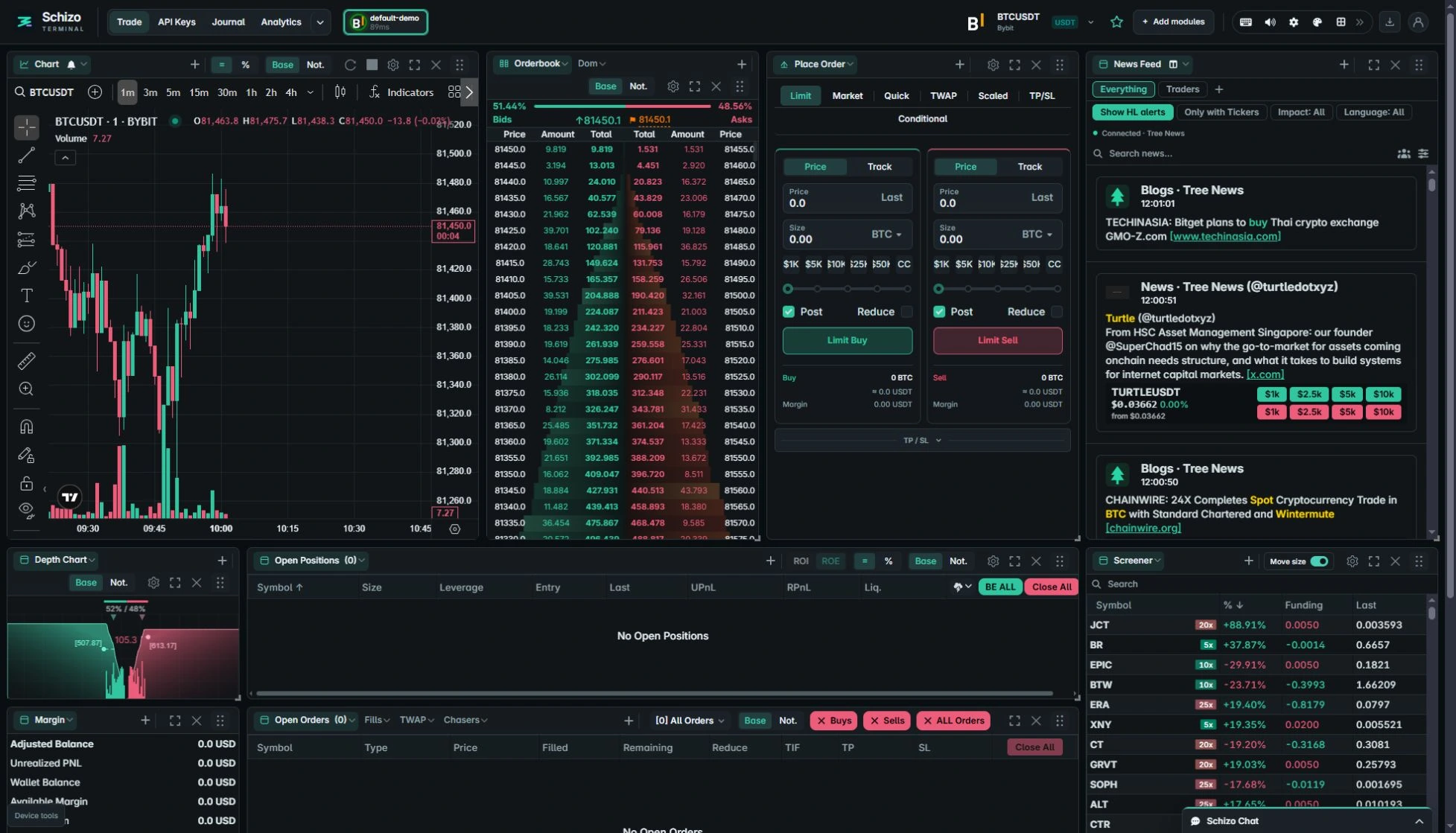
Tealstreet’s terminal documentation describes account selection and layout controls. The Schizo example shows our setup and sizing controls with fictional funding data. No live transaction is needed to evaluate those labels and arrangements.
Keep the limits visible when choosing an alternative.
Keep Tealstreet if its verified exchange support, synchronization or an established personal workflow better meets your needs. Evaluate Schizo if its released account, Risk and Journal workflow addresses a specific gap you can demonstrate. Advanced-order names alone do not prove equivalent behavior.
Tealstreet advertises free platform use. Exchange commissions and other venue costs remain separate from a terminal’s platform price. We do not claim a price, latency or execution-quality advantage for Schizo in this comparison.
When trying another terminal, follow its own connection and backup process. Do not assume that account-export files, saved layouts or Risk references are interchangeable between products. Preserve direct exchange access and check the destination account state before relying on the new workspace.